Introduction
Trying to figure out how to let your Instagram followers know where you’re based? Or maybe you’re a business owner who wants local customers to find you more easily?
Adding your location to your Instagram bio is simpler than you think, and it can make a surprisingly big difference in how people connect with your account. Whether you’re a local bakery, a travel blogger showing off where you’re currently exploring, or a freelancer who wants clients to know you’re in their area, your location is valuable information.
Here’s the thing though: Instagram doesn’t have a dedicated “location” button that magically adds your address. Learning how to add location in instagram bio requires knowing exactly where to put it and how to format it so it looks professional and serves its purpose.
In this guide, I’ll walk you through everything you need to know—from the basic steps to pro tips that’ll make your bio stand out. We’ll also cover related bio customizations like adding links and making quick updates, so you can optimize your entire profile while you’re at it.
Let’s dive in and get your location working for you!
Why Adding Your Location to Instagram Bio Matters
Before we get into the how-to, let’s talk about why this even matters.
Benefits for Local Businesses
If you run a local business, your location is arguably one of the most important pieces of information in your bio:
- Attracts local customers who are searching for services in their area
- Filters out irrelevant inquiries from people too far away to visit
- Builds trust by showing you’re a real, physical establishment
- Improves local SEO when people search for your business
- Saves time answering “Where are you located?” messages
Benefits for Personal Brands and Creators
Even if you’re not a brick-and-mortar business, location can be powerful:
- Connects with local followers who might want to collaborate or meet up
- Shows availability for local projects or events
- Adds authenticity to your profile (real people have real locations)
- Helps with networking in your city or region
- Provides context for your content (especially for travel or lifestyle accounts)
When Location Matters Most
Your location is especially important if you:
- Offer in-person services (coaching, photography, beauty services, etc.)
- Run a restaurant, shop, or venue
- Want to attract local event attendees
- Travel frequently and want to share where you are
- Provide location-specific content or recommendations
- Accept local clients or customers only
Now that you know why it matters, let’s get into how to actually do it.
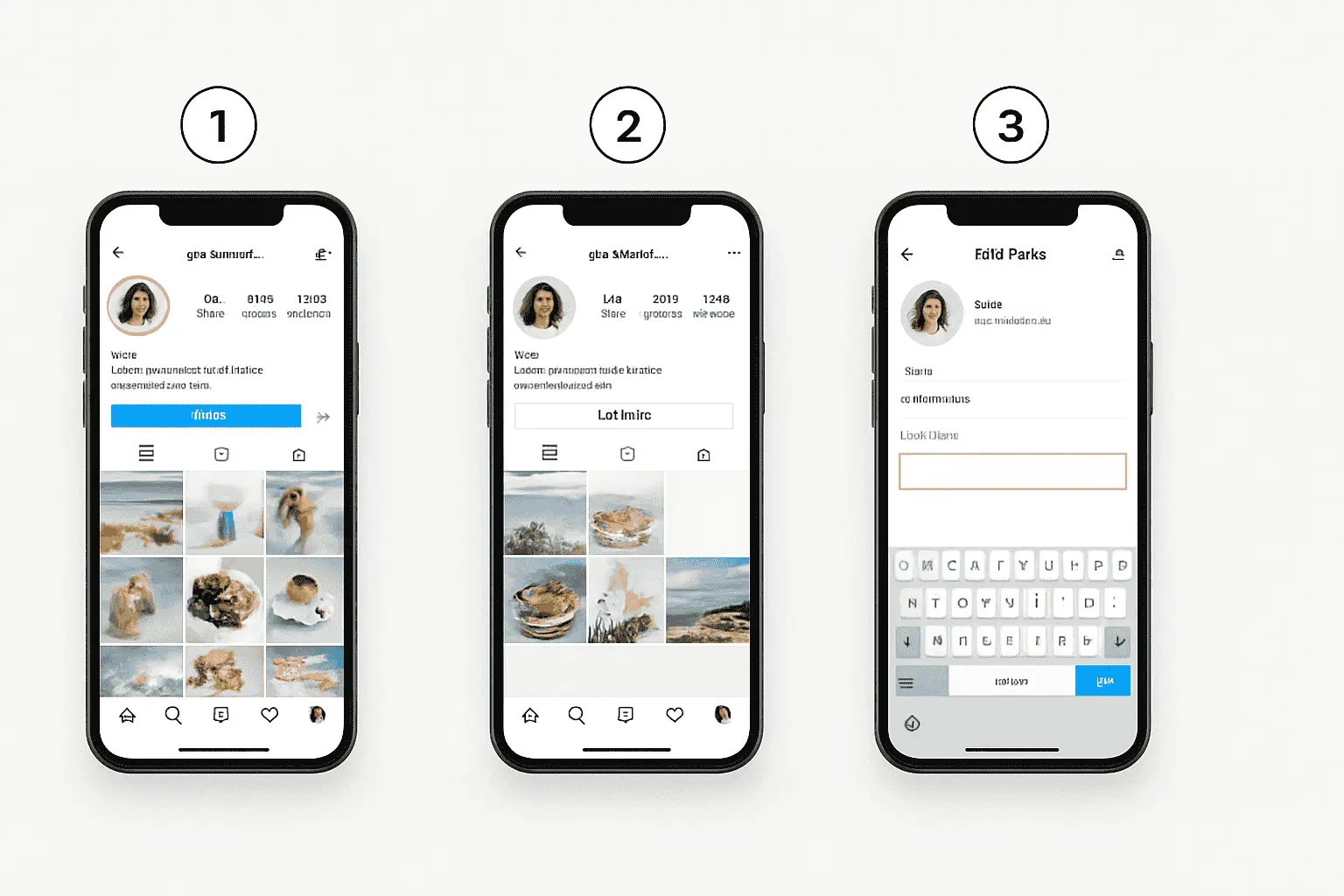
How to Add Location in Instagram Bio (Step-by-Step)
Adding your location is straightforward once you know where to look. Here’s the complete process:
Method 1: Adding Location in Your Bio Text
This is the most common and flexible way to display your location.
Step 1: Open Your Instagram Profile
- Launch the Instagram app on your phone
- Tap your profile picture in the bottom right corner
- You’ll land on your profile page
Step 2: Tap “Edit Profile”
- Look for the “Edit profile” button below your bio
- It’s a gray button that’s hard to miss
- Tap it to enter edit mode
Step 3: Navigate to the Bio Section
- Scroll down to the “Bio” field
- This is where you have 150 characters to work with
- Your location will go here along with your other bio text
Step 4: Add Your Location
You have several formatting options:
Simple format:
📍 Los Angeles, CA
With business context:
📍 Based in Miami | Available nationwide
Multiple locations:
📍 NYC • LA • London
Specific venue:
📍 123 Main Street, Austin, TX
Step 5: Save Your Changes
- Tap “Done” in the top right corner
- Your location is now visible on your profile
- Check how it looks and adjust if needed
Method 2: Adding Location in Your Name Field
Here’s a lesser-known trick: you can also add location to your name field (the bold text above your bio).
Why this works:
- The name field is searchable on Instagram
- It appears more prominently
- It helps with local discovery
How to do it:
- Go to “Edit profile”
- Find the “Name” field (not username)
- Add your location after your name
Examples:
- “Sarah’s Bakery | Brooklyn”
- “Mike Chen | Austin Wedding Photographer”
- “The Coffee House • Downtown Seattle”
Pro tip: This is especially effective for businesses because it helps people find you when searching for “[your service] [your city].”
Location Formatting Best Practices
How you format your location can make or break its effectiveness. Here are proven strategies:
Use Location Emojis
The 📍 pin emoji is universally recognized and saves space. Other options:
- 🌍 or 🌎 for international or multiple locations
- 🗺️ for travel-focused accounts
- ✈️ if you’re frequently moving
- 🏠 for home-based businesses
Keep It Concise
You only have 150 characters total, so be strategic:
Too wordy:
Located in the beautiful city of Portland, Oregon, but also serving surrounding areas
Just right:
📍 Portland, OR + surrounding areas
Choose Your Detail Level
Match your location specificity to your needs:
City only: Best for personal brands
📍 Chicago
City + State: Best for businesses in common city names
📍 Springfield, IL
Neighborhood: Best for local businesses in big cities
📍 West Village, NYC
Multiple locations: Best for multi-location businesses
📍 SF • LA • San Diego
Flexible/Remote: Best for digital services
📍 Based in Denver | Available worldwide
Consider Your Audience
If you have an international audience, format accordingly:
US-focused:
📍 Austin, TX
International:
📍 Austin, Texas, USA
How to Change Instagram Bio (Including Location Updates)
Once you know how to change instagram bio settings, you can update your location anytime. This is useful when:
- You’re traveling and want to update your current location
- You move to a new city
- You open new business locations
- You want to remove your location temporarily
Quick Update Process
- Go to your profile
- Tap “Edit profile”
- Tap on the “Bio” field
- Delete or modify your location text
- Tap “Done” to save
Pro tip: If you travel frequently, consider using a tool like TextExpander (for iOS) or Gboard (Android) to save location templates you can quickly paste.
Updating Your Business Location
If you have a business account, you also have access to a separate location feature:
- Go to “Edit profile”
- Look for “Contact Options”
- Tap “Add an address”
- Search for your business location
- This creates a clickable location that shows a map
This is separate from your bio text and gives people an actual map view of where you’re located.
How to Add YouTube Link in Instagram Bio
While we’re customizing your bio, let’s talk about adding links—especially if you want to know how to add youtube link in instagram bio.
The Link Field
Instagram gives you ONE clickable link in your bio. Here’s how to use it:
Step 1: Get Your YouTube URL
- Go to your YouTube channel
- Copy the channel URL (or a specific video URL)
- Shorten it with Bitly if it’s too long
Step 2: Add to Instagram
- Go to “Edit profile”
- Find the “Links” or “Website” field
- Paste your YouTube URL
- Tap “Done”
When You Need Multiple Links
If you want to link both your YouTube AND other destinations:
Option 1: Use Link-in-Bio Tools
Services like Linktree, Beacons, or Later let you create one link that leads to multiple destinations.
- Sign up for a link-in-bio service
- Add all your links (YouTube, website, shop, etc.)
- Copy your unique link-in-bio URL
- Paste that into your Instagram link field
Option 2: Mention Multiple Links in Bio Text
🎥 YouTube: @YourChannel
🌐 Website in link below
Then rotate what your main bio link points to based on your current priority.
Advanced Bio Optimization Tips
Now that you know the basics, let’s level up your bio game.
Combine Location with Other Information
Create a cohesive bio that includes everything important:
☕ Specialty Coffee Roasters
📍 Portland, OR | Est. 2019
🚚 Free shipping over $30
⬇️ Shop our seasonal blends
Use Line Breaks Strategically
Make your location stand out by giving it its own line:
Sustainable fashion for modern women

📍 Based in LA | Shipping worldwide

🌿 Ethical • Eco-friendly • Empowering
How to add line breaks:
- Type your bio in your phone’s Notes app
- Use returns/enter to create breaks
- Copy and paste into Instagram
Update Location Seasonally
Travel bloggers and digital nomads can keep their bio fresh:
🌍 Currently in: Bali, Indonesia
✈️ Next stop: Thailand (Feb 2025)
Add Context to Your Location
Help people understand what your location means for them:
📍 Nashville-based | Available for travel
📸 Destination wedding photographer
Common Mistakes to Avoid
Learn from others’ mistakes. Here’s what NOT to do:
Mistake #1: Using Fake Locations
Listing a trendy city you’re not actually in might seem like a good idea, but it’ll backfire when:
- Customers try to visit you
- You get inquiries you can’t fulfill
- People realize you’re not authentic
The fix: Be honest about where you are. If you’re remote, say that.
Mistake #2: Being Too Vague
❌ “Based in the USA” ✅ “Based in Austin, TX”
Vague locations don’t help anyone find or connect with you.
Mistake #3: Wasting Too Many Characters
❌ “Located in the beautiful coastal city of San Diego, California” ✅ “📍 San Diego, CA”
Say more with less.
Mistake #4: Forgetting to Update
If your bio says you’re in Boston but you moved to Denver six months ago, that’s not a good look.
The fix: Set a reminder to review your bio quarterly.
Mistake #5: No Context for Remote Services
If you serve clients everywhere but are based somewhere specific:
❌ “Based in Chicago” ✅ “📍 Based in Chicago | Serving clients worldwide”
This prevents confusion about whether you only work locally.
Special Considerations for Different Account Types
Different accounts have different location needs.
For Local Businesses
Must-haves:
- Specific city/neighborhood
- Indication of service area
- Map-linked location (if business account)
Example:
🍕 Authentic Neapolitan Pizza
📍 Brooklyn Heights | 123 Main St
🚚 Delivery within 5 miles
⬇️ Order online
For Service Providers
Must-haves:
- Home base location
- Service area or travel availability
- Clarification on remote vs in-person
Example:
💆♀️ Licensed Massage Therapist
📍 Miami | House calls available
🌴 Serving Miami-Dade County
📅 Book your session
For Influencers/Creators
Must-haves:
- Current or home location
- Travel status (if relevant)
- Regional focus of content
Example:
📸 Travel & Food Photography
🏠 Based in Portland
🌎 Currently: Southeast Asia
📧 Collabs: email below
For E-commerce
Must-haves:
- Business location (builds trust)
- Shipping areas
- Any location-based benefits
Example:
👗 Sustainable Women's Fashion
📍 Designed in Copenhagen
🌍 Worldwide shipping
♻️ Carbon-neutral delivery
Tools and Resources
Make bio editing easier with these tools:
For Planning Your Bio
- Notes App: Draft and format before pasting
- Character Counter: Track your 150-character limit
- Grammarly: Catch typos in your bio text
For Links
- Linktree: Most popular link-in-bio tool
- Beacons: Great for creators
- Bitly: URL shortener with tracking
For Emojis and Symbols
- Native emoji keyboard: Built into your phone
- Emojipedia: Find the perfect location emoji
- Cool Symbol: Special characters and symbols
For Location Research
- Google Maps: Get exact business addresses
- Instagram search: See how competitors format locations
- Geo-tags: Check which locations are searchable on Instagram
FAQ:
Q: Can I add a clickable map location to my Instagram bio?
A: Yes, but only if you have a business or creator account. Go to “Edit profile,” tap “Contact Options,” then “Add an address.” This creates a button people can tap to view your location on a map. However, the actual text location in your bio won’t be clickable—only the separate address button is.
Q: Should I put my full street address in my Instagram bio?
A: It depends on your account type. Brick-and-mortar businesses should include their address so customers can find them. Personal accounts and home-based businesses should typically just list city/state for privacy. Use the business address feature (Contact Options) instead of putting your full address in bio text when possible.
Q: Can I add multiple locations to my Instagram bio?
A: Yes, you can list multiple locations in your bio text using bullet points or separators. For example: “📍 NYC • LA • Miami” or “📍 Austin, TX & Denver, CO.” Just keep it concise since you only have 150 characters total. The business address feature only allows one location, though.
Q: How do I update my location if I’m traveling or moving frequently?
A: Simply go to “Edit profile” and change the location text in your bio anytime. Many digital nomads and travel bloggers update their location regularly with phrases like “Currently in: [City]” or “📍 This month: Bali.” Consider saving location templates in your phone’s Notes app for quick updates.
Q: Does adding my location help people find my Instagram account?
A: Partially. Instagram’s search function indexes your name field (not bio text), so adding location there helps with discovery—like “Sarah’s Coffee • Seattle.” However, location in your bio text itself isn’t searchable. For maximum discoverability, use the business address feature and include location in your name field.
Q: Can I hide my location on Instagram but still have it in my bio?
A: Yes, your bio location is completely separate from geo-tags you add to posts or Stories. You control exactly what location information appears where. You can have a location in your bio without tagging locations in posts, or vice versa. They’re independent features.
Conclusion: Make Your Location Work for You
Learning how to add location in instagram bio is one of those small changes that can have a surprisingly big impact on your Instagram presence. Whether you’re attracting local customers, connecting with nearby followers, or just adding important context to your profile, your location matters.
Here’s what to remember:
- Add location in your bio text using the Edit Profile feature
- Use the 📍 emoji to make your location instantly recognizable
- Be specific enough to be useful but concise enough to save space
- Consider adding location to your name field for better searchability
- Update your location when circumstances change
- Use business contact options if you have a physical location to share
And don’t stop at just adding your location. While you’re editing your profile, optimize everything—update your bio text, add or refresh your links, and make sure your entire profile works together to attract and convert your ideal followers.
Ready to optimize your Instagram bio? Take five minutes right now to add or update your location. Then review the rest of your bio to make sure everything is current, clear, and compelling.
Your location is just one piece of the puzzle, but it’s a piece that helps the right people find and connect with you. Make it count! 🚀
