Introduction
You’ve probably spent hours perfecting your Instagram photos, choosing the right filters, and crafting witty captions. But have you given your Instagram bio the attention it deserves?
Your Instagram bio is prime real estate. It’s the first thing people see when they land on your profile, and in just a few seconds, they’ll decide whether you’re worth following or not. No pressure, right?
If you’ve ever wondered what is bio in Instagram and why everyone seems to obsess over those 150 characters, you’re in the right place. Think of your bio as your elevator pitch, your digital handshake, and your first impression all rolled into one tiny package.
Whether you’re a business owner trying to attract customers, an influencer building your personal brand, or just someone who wants their profile to look polished, understanding how to nail your Instagram bio can make all the difference. Let’s break down everything you need to know.
Understanding What Is Bio in Instagram
So, what is the meaning of bio in instagram? Simply put, your Instagram bio is the short description that appears directly below your profile picture and username. It’s a 150-character space where you get to tell the world who you are, what you do, and why they should care.
But it’s more than just text. Your Instagram bio includes several key elements:
- Your name or business name (which is searchable!)
- Your username (or handle)
- Your bio description (up to 150 characters)
- A website link (the only clickable link on your main profile)
- Optional call-to-action buttons for businesses
- Your category or professional label (for business accounts)
Think of it as your profile’s mission statement. In the Instagram universe where attention spans are measured in seconds, your bio needs to work hard and fast.
Why Your Instagram Bio Actually Matters
Here’s the thing: people judge books by their covers, and they definitely judge Instagram accounts by their bios.
When someone discovers your profile—whether through hashtags, explore page, or a friend’s tag—they’ll spend about 3 seconds scanning your bio before deciding to hit that follow button or keep scrolling.
Your bio serves multiple purposes:
- First Impressions: It’s your chance to make an immediate connection
- SEO Value: Instagram indexes the text in your name field, helping people find you
- Traffic Driver: That one clickable link can direct followers to your website, shop, or latest content
- Brand Identity: It communicates your personality, values, and what makes you unique
- Call-to-Action Hub: You can guide visitors to take specific actions
Bottom line? A well-crafted bio can turn casual visitors into engaged followers.
Breaking Down Instagram Bio Components
Let’s get practical. When you’re setting up or optimizing your profile, you’ll work with these specific fields:
Name Field (Not Your Username!)
This is the bold text that appears above your bio. Many people don’t realize this field is searchable on Instagram. So if you’re a wedding photographer in Austin, you might include that here: “Sarah Martinez | Austin Wedding Photographer.”
Pro tip: Use keywords people might search for, but keep it natural and readable.
The Bio Description
This is your 150-character playground. Every letter counts here, so you’ll see people getting creative with:
- Emojis (they save space and add visual interest)
- Line breaks (for better readability)
- Special characters and symbols
- Branded hashtags
- Mentions of other accounts
The Link
You get exactly one clickable link in your Instagram bio. Choose wisely! Many people use link-in-bio tools like Linktree or Beacons to create a landing page with multiple links.
Action Buttons (Business Accounts)
If you have a business or creator account, you can add buttons for email, phone, or directions—making it super easy for customers to reach you.
What Is Bio in Instagram Example: Real Profiles That Work
Let’s look at different bio styles that actually work in the wild:
Personal Brand Example
🎨 Digital Artist & Coffee Addict
📍 Brooklyn, NY
✨ Teaching you to create art that doesn't suck
👇 Free procreate brushes
Why it works: Clear identity, personality shines through, offers value, includes call-to-action.
Business Example
🌱 Sustainable Home Goods
♻️ Plastic-free • Carbon-neutral shipping
🛍️ Shop our bestsellers 👇
📦 Free shipping over $50
Why it works: Instantly communicates values, highlights benefits, clear shopping CTA.
Influencer/Creator Example
Mom of 3 | Honest Product Reviews
💌 Collabs: email below
🎥 New YouTube vid every Tuesday
🔗 Shop my Amazon faves
Why it works: Establishes credibility, sets expectations, provides collaboration info, drives traffic.
Service Provider Example
📊 Social Media Manager
Helping brands grow from 0→10K followers
🎯 Strategy • Content • Results
📅 Book your free consultation
Why it works: Specific service, concrete promise, highlights process, includes CTA.
Notice how each example uses emojis strategically, stays concise, and tells you exactly what to expect from the account.
How to Write an Instagram Bio That Converts
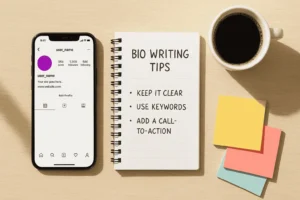
Ready to write your own killer bio? Follow this framework:
Step 1: Define Your Core Message
Answer these questions first:
- Who are you? (or what’s your brand?)
- What do you do?
- Who do you serve?
- What makes you different?
- What action do you want people to take?
Step 2: Prioritize Information
With only 150 characters, you can’t include everything. Choose the most important elements that will resonate with your ideal follower.
Must-haves:
- Your identity or what you offer
- Your unique value proposition
- A call-to-action
Nice-to-haves:
- Location (if relevant)
- Brand personality elements
- Hashtags or mentions
- Awards or credentials
Step 3: Use Formatting Strategically
Make your bio scannable:
- Use line breaks to separate ideas (type your bio in Notes first, then copy-paste)
- Add emojis as visual bullet points or to add personality
- Keep it simple – don’t overdo special fonts or symbols
- Front-load important info – put your best stuff first
Step 4: Optimize Your Link
Your bio link strategy matters:
- Change it regularly to promote new content or offers
- Use a link-in-bio tool if you need multiple destinations
- Match your link to your current focus (new product, blog post, signup page)
- Consider URL shorteners that let you track clicks
Step 5: Test and Iterate
Your bio isn’t set in stone. Try different approaches and pay attention to:
- Profile visit-to-follow conversion rate
- Link clicks
- DM inquiries
- Overall engagement
Refresh your bio every few months or when your focus shifts.
Common Instagram Bio Mistakes to Avoid
Even pros get this wrong sometimes. Watch out for these pitfalls:
Being Too Vague
❌ “Living my best life | Hustle hard” ✅ “Fitness coach helping busy moms lose weight without giving up wine”
Keyword Stuffing
❌ “Photographer | Photography | Photos | Photo shoot | Pictures | LA Photographer” ✅ “Wedding Photographer in Los Angeles | Capturing your love story”
No Clear CTA
If people love your profile but don’t know what to do next, you’ve lost them. Always include a next step.
Outdated Information
Still promoting that sale from three months ago? Update your bio regularly to stay relevant.
Using Your Full Life Story
Your bio isn’t your autobiography. Save the long stories for your captions and content.
Ignoring Mobile View
Most people browse Instagram on their phones. What looks good on desktop might be a jumbled mess on mobile. Always preview your bio on the app before finalizing.
Instagram Bio Alternatives and Tools
Want to level up your bio game? Check out these resources:
Link-in-Bio Tools
When one link isn’t enough, these tools create a custom landing page:
- Linktree: The OG link-in-bio tool, simple and effective
- Beacons: Great for creators, includes media kit features
- Later’s Link in Bio: Perfect if you want to make your Instagram feed shoppable
- Tap Bio: Minimal design, easy to set up
Bio Generators and Inspiration
Stuck on what to write? These can help:
- Instagram bio generators (search online for current options)
- Competitor analysis (see what works in your niche)
- Bio inspiration accounts on Instagram itself
Design Elements
- Emoji keyboard (built into your phone)
- Line break generators (for clean formatting)
- Unicode text generators (for special fonts – use sparingly!)
Optimizing Your Bio for Different Account Types
Different goals require different approaches:
For Personal Accounts
Focus on personality and interests. You’re building connections based on who you are, so let your authentic self shine through. Include hobbies, location, or a fun fact that makes you memorable.
For Business Accounts
Lead with what you offer and the problem you solve. Include social proof if possible (“Trusted by 10K+ customers”) and make it easy for people to shop or get in touch.
For Creator/Influencer Accounts
Establish your niche and authority. Include follower counts if impressive, content schedule if consistent, and collaboration contact info. Show potential brand partners you’re professional.
For Non-Profit Organizations
Communicate your mission clearly. Share impact metrics when possible and make donation or volunteer CTAs prominent.
FAQ Section
Q: How long can an Instagram bio be?
A: Instagram bios are limited to 150 characters. This includes spaces and emojis, so you need to be strategic with every character you use. The name field has a separate 30-character limit.
Q: Can I put multiple links in my Instagram bio?
A: Instagram only allows one clickable link in your bio, but you can use link-in-bio tools like Linktree, Beacons, or Later to create a landing page with multiple links. This way, one link leads to many destinations.
Q: Do emojis count as characters in Instagram bio?
A: Yes, emojis count as characters in your 150-character limit. However, they’re worth using because they add visual interest, can replace words (saving space), and make your bio more scannable.
Q: Can people search for words in my Instagram bio?
A: Instagram doesn’t index the bio description text for search, but it does search your name field (the bold text above your bio). That’s why it’s smart to include keywords in your name field if you want to be discoverable.
Q: How often should I update my Instagram bio?
A: Update your bio whenever your focus changes—new product launches, seasonal promotions, or content themes. At minimum, review it quarterly to ensure it’s still relevant. Your bio link should change more frequently to match your current priorities.
Q: Should I use hashtags in my Instagram bio?
A: You can include hashtags in your bio, but they’re not clickable or particularly useful there. It’s better to use that space for actual information about you or your brand. Save hashtags for your posts and stories where they actually help with discovery.
Conclusion: Your Bio Is Your Digital Storefront
Your Instagram bio might be small, but its impact is huge. Those 150 characters are working 24/7 to represent you, attract your ideal audience, and convert casual visitors into loyal followers.
Now that you understand what is bio in instagram and how to craft one that actually works, it’s time to put this knowledge into action. Whether you’re starting from scratch or giving your existing bio a refresh, remember these key takeaways:
- Be clear and specific about who you are and what you offer
- Show personality while staying professional and on-brand
- Include a strong call-to-action that guides visitors to the next step
- Use formatting wisely with line breaks and emojis for readability
- Keep it fresh by updating regularly as your brand evolves
Don’t overthink it, but don’t underestimate it either. Your bio is often the deciding factor between someone hitting “follow” or moving on to the next account.
Ready to transform your Instagram presence? Start by reviewing your current bio right now. Apply the strategies we’ve covered, test different versions, and watch how a few small tweaks can lead to more followers, more engagement, and better results from your Instagram efforts.
Your perfect bio is waiting to be written. Make those 150 characters count!
